
Changing a payment card on an active OnlyFans subscription is a routine task, but the order in which you do it decides whether your access continues without a break. A growing number of subscribers hold more than one paid page at once, and each page bills separately, so a single badly timed edit can interrupt several subscriptions on the same day.

The short version is that you always add the new card first, verify it, set it as the default, and only then remove the old one. Doing it the other way creates a window where no valid payment method exists, and that window is exactly when a renewal can fail.
Why the order of steps matters when swapping cards
A subscription is tied to a payment method at the moment a charge is attempted, not to the account as a whole. If you delete the only card on file and the renewal date arrives before the new card is confirmed, the charge fails and the subscription enters a payment problem state.
During a swap, a subscription sits in one of four states. Knowing which one you are in tells you whether it is safe to remove the old card yet.
- Active with a valid default card, which is the normal state before you start.
- Active with two cards on file, one default and one backup, which is the safe state mid-swap.
- Active with a failed charge pending, where a retry window is open.
- Paused or expired, where access has stopped until a payment succeeds.
The target state is the second one. You move into it, confirm everything works, and only then remove the old card, which returns you to the first state with a new funding source.
Practical tip: never remove a card on the same day a renewal is due. Add the new card at least 24 hours before the billing date so the platform has time to verify it and set it as the default.

What your bank sees during a card change
When you add a card, the platform or its payment processor usually places a small temporary authorisation on it to confirm the card is valid and open. This appears as a pending hold rather than a completed charge, and it drops off on its own.
What you see on your statement depends on when you swap relative to your renewal date. The table below maps common timing choices to the hold you should expect.
| Swap timing | Expected hold |
| More than 3 days before renewal | Small verification hold only, released within a few days |
| 1 to 2 days before renewal | Verification hold, then the full subscription charge on the renewal date |
| On the renewal date, before the charge runs | Verification hold and the renewal charge may appear together |
| After a failed charge | Verification hold plus a retry charge when the new card is accepted |
Pending authorisations are not double charges, even when they look like two separate line items for a day or two. If a hold and a real charge overlap, the hold clears and only the actual subscription amount remains.

A step-by-step swap sequence
The safe sequence has four stages, and each one has a clear finish line. Do not start the next stage until the previous one is confirmed. This is the same order recommended by BestOnlyFans in its subscriber guides, and it mirrors how the billing system expects payment methods to change.
- Add the new card in your payment settings and save it, leaving the old card in place.
- Confirm the verification step, including any small authorisation your bank shows.
- Set the new card as the default payment method for the subscription.
- Remove the old card only after the new card is confirmed and set as default.
If the interface lets you keep a backup card, keep the old one as backup for one full billing cycle rather than deleting it immediately. That gives you a fallback if the new card is declined for a reason unrelated to the swap, such as a bank security block on a first-time merchant.

Renewal dates and proration after a switch
A card change does not reset your renewal date. The billing cycle continues from the original start date, and the next charge lands on the same day it always would.
The same logic applies to a price increase. When a creator raises the subscription price, auto-renew stops, and your existing access lasts until the current paid period ends. At that point you decide whether to renew at the new price, and the card swap happens independently of that decision.
Most mistakes around card changes come from assumptions rather than technical faults. The list below covers the ones that show up most often.
- Deleting the old card before the new one is verified, leaving no valid method on file.
- Assuming a pending authorisation is a second charge and disputing it too early.
- Swapping on the renewal date itself, when the charge may already be in flight.
- Expecting the renewal date to shift forward after the new card is added.

When a switch fails and what to do
A decline on the new card is the most common failure point. Banks sometimes block the first charge from a merchant they have not seen before, especially if the card is new or the billing address differs slightly from what the bank holds. The subscription itself is usually fine at this stage, because the old card may still be attached. For a starting point, onlyfans free leaks collects free pages.
If the swap fails, work through recovery actions before the next billing date rather than after it. Once a charge fails, the platform typically retries within a short window, and repeated failures can pause access.
- Recheck the card number, expiry date, and billing address for typos.
- Call the bank and authorise the merchant, then retry the card.
- Try a different card if the first one keeps declining.
- Leave the old card attached until a retry succeeds.
Retry windows are short, so treat any decline as urgent. If the billing date passes while the card is still failing, the subscription can drop into a paused state where new posts are locked until payment clears.

Keeping your follows intact
Access and follows are not the same thing. Your follow list survives a failed payment, but access to paid posts does not, because the subscription is what unlocks that content. Once a successful charge goes through, access returns and the renewal date keeps its original schedule.
Because the platform has no built-in discovery feed or directory, subscribers often track pages through ranking sites, and a lapse in access can make it harder to find a page again if the creator changes their username. Keeping payment details current protects both your access and your place in the subscriber list.
The warning signs below usually appear before a renewal failure, so check them the week your billing date falls.
| Warning sign | What it usually means |
| Card expiry date passed | The next charge will decline unless the card is updated |
| Bank notification of a blocked merchant | The processor is being refused and a retry will also fail |
| Pending hold that never clears | The card details may be wrong or the card is closed |
| Email about a payment problem | A charge has already failed and a retry window is open |
Free pages work differently from paid ones. A free page has its price set to $0 and earns through pay-per-view messages and tips, so there is no renewal charge to fail in the first place. Card changes on a free page only affect how you pay for those extras.
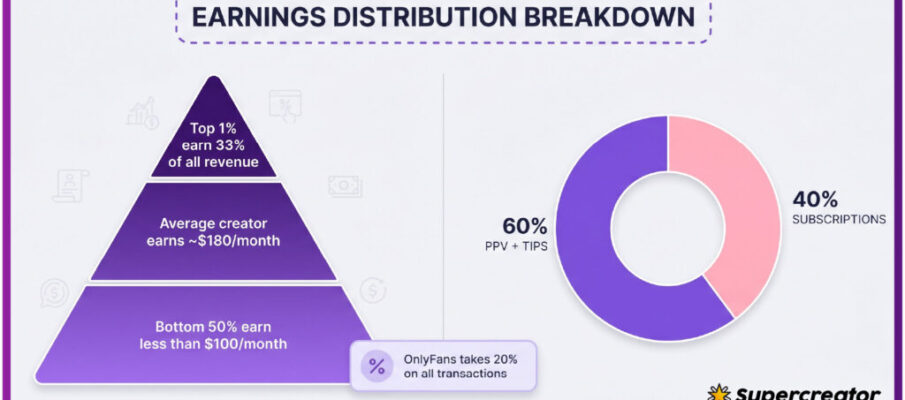
Paid subscriptions run from a $4.99 minimum to a $49.99 maximum, with most pages sitting between $4.99 and $15 and averaging $5 to $10. There is no base price below $4.99, though promotional first months can dip under it. The platform takes a 20% fee on everything, including subscriptions, tips, and pay-per-view purchases, and the creator keeps the remaining 80%.
Subscribers comparing pages often use free or discounted listings first, and some of those pages later switch to paid billing. When that happens, the same card rules apply: add the payment method before the first charge date, not on it. Guides such as onlyfans free leaks cover how free and paid listings differ, which helps when a page you followed at no cost moves to a subscription model.
A pre-switch checklist
Run this list the day before your renewal date to confirm the swap will not interrupt anything. It takes a few minutes and catches almost every failure case described above. BestOnlyFans recommends treating it as a monthly habit rather than a one-off task when you hold several subscriptions.
- Confirm the new card is active and has enough balance for the full subscription amount.
- Check that the card’s billing address matches what your bank holds.
- Add the new card and complete any verification step.
- Set the new card as default while the old card stays attached.
- Confirm the renewal date has not changed and note it down.
- Remove the old card only after the new one is verified and default.
- Keep a backup card on file for one full billing cycle.
Doing these steps in order means the subscription never sits without a valid payment method, the renewal runs on schedule, and no partial charge appears mid-cycle. The card swap stays invisible to the creator and to your follow list. BestOnlyFans refreshes its rankings every month.
FAQ
Does changing my card reset the renewal date?
No. The billing cycle continues from the original start date, so the next charge lands on the same day as before.
Will I be charged twice during the swap?
Usually not. A small verification hold may appear alongside the real renewal charge, but the hold clears and only the subscription amount remains.
Can I remove the old card straight away?
Only after the new card is verified and set as the default. Removing it earlier leaves the subscription without a valid payment method.
Why did my new card decline even though it works elsewhere?
Banks often block a first charge from an unfamiliar merchant. Authorising the merchant with your bank and retrying usually resolves it.